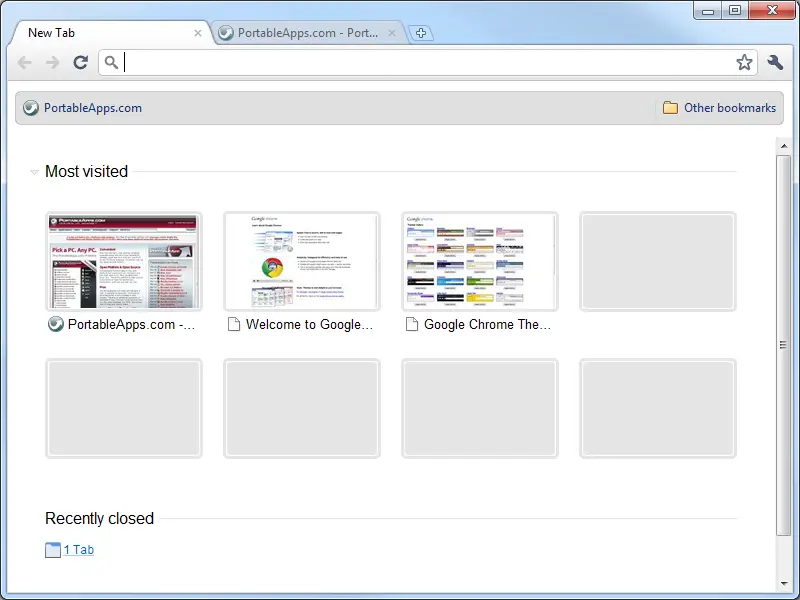
Things to know about Google Chrome for Android


The browser only works on Android 4.0 devices, some similar features to the desktop version syncs with Chrome browser on the desktop.
[Xem tiếp...]


Movie: I, robot


Film from Vina7I, Robot
[Xem tiếp...]


New logo of Chrome


Google updated its Chrome logo last week, though the change won't arrive beyond the developer version of the browser until Chrome 11 reaches beta and stable versions.
"Since Chrome is all about making your web experience as easy and clutter-free as possible, we refreshed the Chrome icon to better represent these sentiments. A simpler icon embodies the Chrome spirit -- to make the web quicker, lighter, and easier for all," Google designer Steve Rura said in a blog post yesterday.


[Xem tiếp...]


Fast posting blog on your Chrome browser with ScribeFire


ScribeFire utility, you can write a blog on Google Chrome Web browser with full features such as blog posts from the admin page.
[Xem tiếp...]


How to use Chrome Portable


Use Google Chrome wherever you go

Program needs no installation, so that could work directly from the media. Suitable option if you have to use foreign or business computer. Apart from the USB-device, Google Chrome Portable 3.0.195.33 works from CD, Flash-card or MP3-player. 

[Xem tiếp...]


What is extension in Chrome browser


Google Chrome Extensions are small software programs that can modify and enhance the functionality of the Chrome browser. You write them using web technologies such as HTML, JavaScript, and CSS. You can also use the extension system to build packaged apps, a downloadable kind of installable web app.
[Xem tiếp...]


Google business in China hit by service disruptions


Google's business in China is taking a beating after the company experienced service disruptions in the wake of announcing that it had stopped censoring Chinese-language searches.
[Xem tiếp...]


View Print Preview with Google Chrome


Yesterday i wanted to take a very important print out of an online document for my research and found out there was no way to do a ‘Print Preview’ in Google Chrome. After searching for a while i came to a forum post by StevePaul here at ChromePlugins.org, who had posted a work around for it, which i thought would be great if i share it here.
[Xem tiếp...]


NewsSquares App for Chrome


After churning out to great extensions for the Chrome Browser, search engine giant Google has hosted several apps in the recentlyNewsSquares App Imagelaunched Chrome Web Store. These apps seeks to give an extra edge to Chrome Browser and one of the coolest Chrome apps available in the recently launched Chrome Web Store is NewsSquares. Read on the NewsSquares Review to know more about the application.
[Xem tiếp...]


Top Plugins for Chrome


Chrome Browser seeks to give user access to fast and easy browsing experience of the net. Ever since the browser has been introduced it has gone from strengths to strengths, thanks to several plug-ins which has enhanced the productivity of the browser.
[Xem tiếp...]


Bring Holiday to Chrome


Bring Holiday collection to Chrome Browser
[Xem tiếp...]


Disable Flash on Chrome


Adobe Flash is directly integrated with Google Chrome and enabled by default. Any available updates for Adobe Flash are automatically included in Google Chrome updates.
[Xem tiếp...]


Chrome display errors "Oops! This link appears broken."


Chrome can show suggestions for the page you were trying to reach, if it is unable to connect to the web address. Instead of a cryptic error message, you'll see suggestions to navigate to other parts of the website or to search for the page with Google.
[Xem tiếp...]


Chrome display errors "The following plug-in has crashed..."


If you see the message "The following plug-in has crashed..." at the top of your page or the broken plugin icon, this means that a plug-in used by the page you're on has become unresponsive or has closed unexpectedly. You can wait to see if the plug-in restarts automatically or manually force the process to close. To resolve the issue, try reloading the webpage. Learn more about supported plug-ins in Google Chrome.
[Xem tiếp...]


Chrome display errors "Whoa! Google Chrome has crashed."


Issue

This error displays when Google Chrome unexpectedly shuts down.

Solutions

[Xem tiếp...]


Chrome display errors "Aw, Snap!"


Issue

You may see the "Aw, Snap!" message if a webpage crashes unexpectedly.

Solutions

[Xem tiếp...]


Delete cookies in Chrome


  1. Click the wrench icon tools menu on the browser toolbar. Mac users: If you don't see the wrench icon, go to the menu bar at the top of your screen and click Chrome.
  2. Select Options (Preferences on Mac and Linux; Settings on Chrome OS).
  3. Click the Under the Hood tab.
  4. Click Content settings in the "Privacy" section.
  5. Click the Cookies tab in the Content Settings dialog that appears:
[Xem tiếp...]


Set Home page for Chrome


We can set your favorite webpage as your home page and have it appear whenever you start up your browser. And if you add the home page button to the browser toolbar, you can click it at anytime to get back to your home page.
[Xem tiếp...]


Set themes for Chrome Browser


Add a fun theme from the Google Chrome themes gallery to dress up the browser. You can always change your theme by clicking the wrench icon and selecting Options >Personal Stuff.
[Xem tiếp...]


Quick deletion your browsing history in Chrome


Chrome Browser: Clear your entire browsing history

[Xem tiếp...]


Return to top of page Copyright © 2010 | Vina7 Design by Fan*Anh-Ngọc